

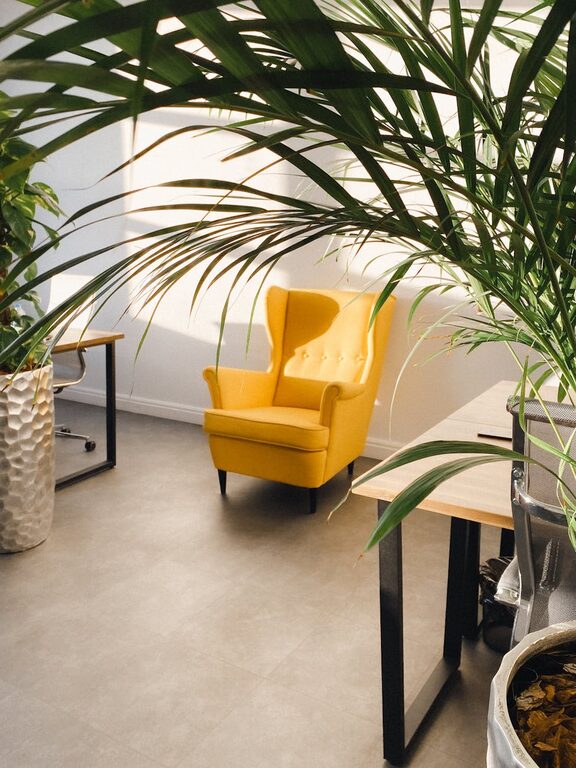
Creating a cozy and inviting home workspace can make a significant difference in how you feel during your workday. A well-designed space not only boosts productivity but also helps reduce stress and encourages creativity. Whether you are working from home full-time or just need a dedicated spot for occasional tasks, these tips will help you craft a workspace that feels welcoming and comfortable.
Choose the Right Location
Selecting the perfect spot for your workspace is the first step. Ideally, find a quiet corner or a room with minimal distractions. Natural light can improve your mood and focus, so try to position your desk near a window if possible. Avoid areas with heavy foot traffic or noise to maintain concentration.
Invest in Comfortable Furniture
Comfort is key when setting up a workspace, especially if you spend long hours seated.
– Ergonomic Chair: Choose a chair that supports your back and encourages good posture.
– Desk: Select a desk that fits your space and meets your work needs, whether it’s writing, using a computer, or other tasks.
– Adjustable Elements: Consider height-adjustable desks or desk converters for flexibility between sitting and standing.
Organize and Declutter
A clutter-free environment helps clear your mind and increases focus.
– Storage Solutions: Use shelves, drawers, and boxes to keep essentials neatly stored.
– Cable Management: Employ cable organizers or clips to keep cords tidy and out of sight.
– Daily Tidying: Make it a habit to tidy your desk at the end of each day.
Personalize Your Space
Adding personal touches can make your workspace feel more inviting:
– Plants: Greenery not only beautifies the space but can also improve air quality and reduce stress.
– Artwork and Photos: Hang or place images that inspire or comfort you.
– Decor Items: Use colorful stationery, rugs, or cushions to add warmth and character.
Optimize Lighting
Proper lighting reduces eye strain and enhances mood.
– Natural Light: Use blinds or curtains to control brightness while keeping the space well-lit.
– Task Lighting: A desk lamp with adjustable brightness can help during focused work.
– Warm Bulbs: Opt for warm LED bulbs to create a cozy atmosphere.
Incorporate Calming Elements
Soothing sounds and scents can promote relaxation and concentration:
– Background Music: Soft instrumental tunes or nature sounds can be helpful.
– Aromatherapy: Essential oil diffusers or scented candles add a pleasant fragrance.
– Comfort Items: Keep a soft throw blanket or cushion nearby for added coziness.
Maintain Good Air Quality
Fresh air improves alertness and overall well-being.
– Ventilation: Open windows regularly or use an air purifier.
– Plants: Besides decoration, many houseplants help purify the air.
Keep Technology Efficient and Accessible
Making sure your technology setup is smooth and ergonomic will enhance productivity:
– Monitor Height: Position your screen at eye level to avoid neck strain.
– Wireless Devices: Use wireless keyboards and mice to reduce cable clutter.
– Charging Station: Have a dedicated area for charging phones and other gadgets.
Set Boundaries and Routine
Creating a cozy workspace also means establishing habits that support your work-life balance.
– Defined Hours: Set specific work times to help separate work and leisure.
– Break Area: If possible, have a small space nearby to take breaks away from your desk.
– End-of-Day Ritual: Turn off your workspace lighting or pack away work items to signal the end of the day.
Final Thoughts
Designing a cozy and inviting home workspace is all about balancing functionality with comfort and personal style. By making mindful choices about location, furniture, organization, and atmosphere, you can create a space where you’re motivated to work and feel at ease. Small adjustments can lead to big improvements in how you experience your daily tasks, making your work-from-home routine more pleasant and productive.