

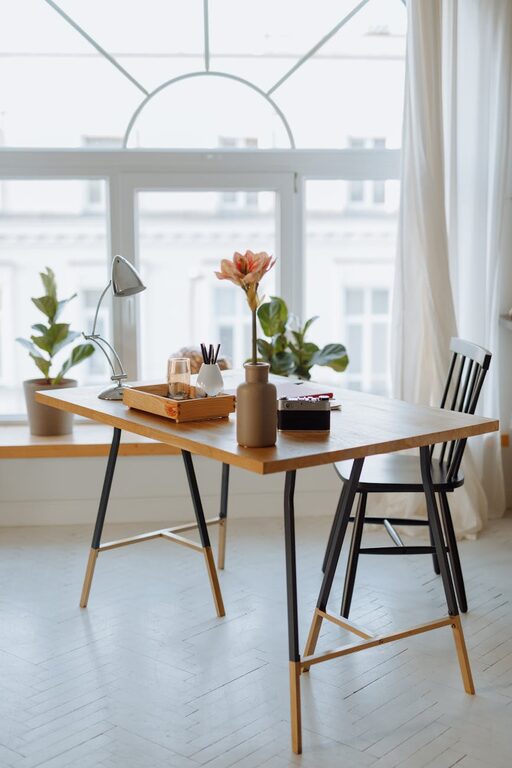
Creating a cozy and functional home workspace combines comfort with practicality. Whether you work remotely full-time or occasionally, having a dedicated area that invites focus and creativity makes a big difference. In this post, we’ll share tips on how to design a workspace that feels welcoming and helps you stay productive throughout the day.
Why a Cozy Workspace Matters
A cozy workspace is more than just a nice-looking corner. It contributes to your well-being, reduces stress, and can improve your work output. A space that feels personal and comfortable is inviting, making it easier to settle in and concentrate.
Choosing the Right Location
Find a Quiet Spot
Look for an area in your home where distractions are minimal. If possible, choose a room with a door to separate work and personal life. If space is limited, a quiet corner with some privacy will also work.
Consider Natural Light
Natural light boosts mood and reduces eye strain. Position your desk near a window to take advantage of sunlight. If natural light is limited, invest in good quality lighting with adjustable brightness.
Essential Furniture for Comfort and Function
Ergonomic Chair
Invest in a comfortable, ergonomic chair to support your posture. Long hours sitting require proper back support to avoid discomfort or injury.
Desk with Enough Surface Area
Choose a desk that fits your needs without crowding your space. It should have enough surface to hold your computer, notes, and any other work tools comfortably.
Storage Solutions
Keep your workspace tidy by using shelves, cabinets, or desk organizers. Having designated places for documents, supplies, and gadgets reduces clutter and makes it easier to find things.
Personalize Your Space
Add Cozy Textiles
A soft rug, cushion, or throw blanket can make your workspace feel warmer and more inviting.
Use Plants
Indoor plants improve air quality and add a touch of nature that can reduce stress and increase creativity.
Display Inspiring Items
Photos, artwork, or motivational quotes can boost your mood. Be mindful not to overcrowd your space.
Optimize for Productivity
Organize Your Desk
Only keep essentials on your desk to avoid distractions. Hide away less-used items.
Create Zones
Designate areas in your workspace for specific tasks, like a writing area separate from computer work, to promote better focus.
Manage Cables
Use cable organizers or clips to keep wires untangled and out of the way.
Lighting Tips
Layer Your Lighting
Use a combination of natural light, overhead lighting, and task lamps to reduce eye strain and create a balanced ambiance.
Adjust Color Temperature
Warmer light tones are relaxing, while cooler lights help improve concentration. Choose lighting based on the type of task you’re doing.
Maintain Cleanliness and Order
Schedule Regular Cleaning
A tidy environment supports clear thinking. Dedicate time weekly to clean and organize your workspace.
Minimize Distractions
Keep your phone on silent or in another room if possible. Use noise-cancelling headphones to block background noise.
Technology and Tools
Invest in Quality Equipment
Reliable tools like a good computer, headset, and keyboard contribute to smoother workdays.
Utilize Productivity Apps
Use calendar apps, task managers, or focus timers to stay organized and manage your time effectively.
Final Thoughts
Creating a cozy and functional home workspace doesn’t require a complete home makeover. Small adjustments and thoughtful organization can transform your area into a place you look forward to working in. Prioritize comfort, good lighting, and order to support your productivity and well-being.
By tailoring your workspace to suit your needs and personal style, you’ll create an environment that’s both inviting and efficient — the perfect combination for successful workdays at home.